Project Overview
Let’s be honest: sanding 3D prints sucks.
It’s messy, it takes forever, and half the time you end up ruining the geometry of your part because you sanded one corner too aggressively. If you are still removing brims and elephant’s foot with an X-Acto knife or sandpaper, you are working way too hard.
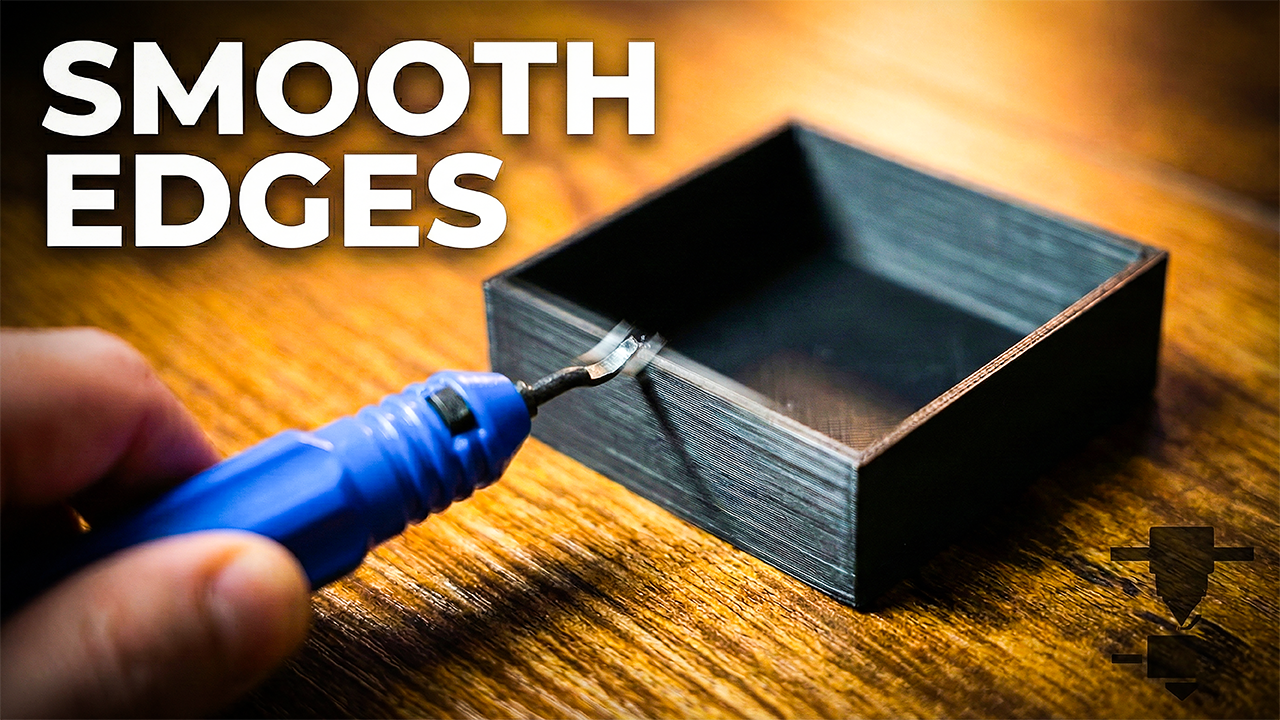
There is a $10 tool that machinists have used for decades, and it’s the single best upgrade you can buy for your 3D printing workflow. It’s called a deburring tool.
In this guide, I’ll show you how to use it to get clean, professional edges on your 3D prints in seconds—without the dust.
What is a Deburring Tool?
A deburring tool is basically a swivel blade mounted on a handle. Unlike a fixed knife (like an X-Acto), the blade on a deburring tool rotates freely.
This allows the blade to follow the organic curves and straight edges of your 3D print automatically. It shaves off a thin ribbon of plastic, leaving a smooth, chamfered edge behind.
Why You Need One for 3D Printing
- Speed: You can clean an entire brim off a print in about 20 seconds.
- Safety: Because you pull the tool along the edge rather than pushing a knife towards your hand, you’re less likely to slice your thumb.
- Finish: It creates a consistent, professional edge that looks intentional, not like a hacked-up mistake.
How to Use It (The Right Way)
Using a deburring tool is all about finesse, not force. If you dig in too hard, you’ll gouge the print. Here is the technique I use in the video:
1. The Grip Hold the handle loosely. You don’t need a death grip. Let the tool do the work.
2. The Angle Place the curved part of the blade against the edge of your print. You want the blade to sit at roughly a 45-degree angle to the corner you are cleaning.
3. The Motion Pull the tool towards you in one long, smooth sweeping motion. Do not use short, choppy strokes (that’s how you get chatter marks).
- Pro Tip: If you are cleaning a hole or an inside curve, the swivel blade is magic. Just insert it into the hole and spin it around the rim.
Troubleshooting: “Why is it digging in?”
If the blade is jumping or gouging your print, you are likely making one of these two mistakes:
- Pushing too hard: Ease up. It should peel the plastic, not cut it.
- Wrong Material: These tools work like a dream on PLA and PETG. They can be a bit trickier on flexible materials like TPU.
Final Thoughts
Stop wasting your weekends sanding simple prints. Grab a deburring tool, save your fingers, and get back to printing.